
Table of Contents
How to Photograph Butterflies with Your Phone
People assume you need a big lens and a heavy bag to get a good butterfly photo. I shoot with Nikon gear myself, so I’m not going to tell you cameras don’t matter. But some of the nicest butterfly pictures I’ve seen from readers and friends were taken on phones, by people who simply knew how to approach and when to press the button.
A phone has real advantages here. It’s small, so it doesn’t loom over a nervous insect. It’s always in your pocket. And modern phone cameras are good at close-ups. What they can’t do is read the butterfly’s mind, which is where technique comes in. This guide covers what I’d tell a friend who handed me their phone and said, “Show me how.”
Why a phone can work well for butterflies
Start with the downsides so we’re honest. A phone has a tiny sensor and a small lens. You can’t get the creamy blurred background of a 105mm macro at f/2.8, and you’ll struggle with very fast flying subjects. Zoom, if you use it digitally, loses detail quickly.
Now the upsides. Phone lenses have a short focal length and a small sensor, so more of the scene stays in focus than on a big camera. For beginners that is often a help, not a hindrance. Phones also focus very close without extra gear, they shoot silently, and they give you a live preview you can trust. If you’re curious how the bigger-camera route compares, I wrote about it in the best lens for butterfly photography.
And there’s the plain fact that the best camera is the one you have with you. Butterflies turn up on a garden walk, at a bus stop, in a park. If your phone is in your hand, you’ll get the picture.
Before you leave the house
Wipe your lens. I know. It sounds trivial. But a fingerprint smear on a phone lens makes a hazy, low-contrast mess, and most of us never clean it. A soft cloth does the job.
Charge up and clear space. You’ll take far more shots than you expect. Burst mode eats storage.
Dress quietly. Bright white or reflective clothing can startle butterflies, and heavy scent isn’t helpful either. Earth tones and soft fabrics are fine.
Pick the right time. Butterflies are slow in the cool of the morning because they need to warm up before they can fly properly. That is your window. I explain the reasoning in the best time of day to photograph butterflies, but in short: go early, or in the hour before sunset.
How to approach a butterfly
This is where most phone shots are won or lost, and it has nothing to do with settings.
- Spot it from a distance. Look for butterflies feeding on flowers, basking on leaves, or sitting on the ground. Flowering plants, especially in sunny spots sheltered from wind, are good places to look. The charity Butterfly Conservation has a helpful page on how to spot butterflies.
- Move slowly, and low. Crouch rather than looming. Slow, smooth steps. If you see the wings start to twitch, freeze and wait.
- Keep your shadow off it. A shadow crossing a butterfly looks like a predator. Walk in from the side, or from the front with the sun beside you.
- Stop earlier than you think. With a phone you’ll need to be within 10 to 30 cm for a close shot. Approach in steps. Take a photo at each stage. If it flies, you still have something.
- Be patient. If a butterfly keeps returning to one flower, stay put and wait. Its route is often predictable.
Don’t touch the butterfly or try to nudge it onto your finger for a photo. It can damage the wings, and it is stressful for the animal. Butterfly Conservation’s guidance on responsible wildlife photography is worth a read.
Focus and exposure
Your phone makes a lot of decisions for you, and sometimes it picks the wrong ones. A butterfly against a bright sky can end up dark. A butterfly in front of a lot of green can end up focused on the leaves behind it. You can fix both with a couple of taps.
Tap to focus
Tap the butterfly’s eye or the front of the body, on the screen. A small box or circle should appear. If the picture still looks soft, tap again. On most phones you can press and hold to lock focus and exposure, so the phone doesn’t refocus when the butterfly moves slightly.
Adjust the brightness
After tapping, a slider or sun icon usually appears next to the focus box. Slide it down a little if the wings are washed out, or up if they look muddy. Bright wing colours can blow out easily in direct sun, so I’d err on the side of a darker exposure. You can lift shadows later; you can’t recover white.
Keep still
Phones lack the heavy grip of a camera body, so shake is a real issue. Hold with two hands, tuck your elbows in, and rest your wrists on your knees or a rock. Press the shutter with the volume button, or use a headphone remote if you have one. Lightly tapping the screen can make the phone wobble at exactly the wrong moment.
Macro mode, ultra-wide and clip-on lenses
Many recent phones have a dedicated close-up mode. Some use an ultra-wide lens with autofocus to get very close; others use a telephoto. Names and behaviours differ between brands, so check your own phone. If you see a little flower icon when you move near a subject, that is usually the macro mode kicking in.
A tip: in macro mode on phones that use the ultra-wide lens, the lens is physically very close to the subject. That makes it easy to cast a shadow, and it makes butterflies nervous. If this is a problem, back off and use the standard lens at its closest focus distance, then crop.
Clip-on macro lenses are cheap and they work, up to a point. They screw or clip over your camera lens and give you much higher magnification. The trade-offs are very shallow focus and soft corners. They’re great for a still butterfly on a leaf and frustrating for anything that moves. If you’re experimenting with close-up gear in general, my post on macro photography on a budget goes through other low-cost options, and extension tubes vs macro lens explains what you get when you move up to a real camera.
Avoid digital zoom where you can. Walking closer, or cropping later from a full-resolution image, almost always looks better. If your phone has a 2x or 3x optical telephoto lens, that is the zoom to use. It lets you stay farther away while keeping quality.
Burst mode and timing
Butterflies move in small ways constantly. Wings open and close, antennae twitch, feet shuffle. To get a sharp, well-posed frame, shoot lots of frames.
Use burst mode (usually a long press on the shutter or a volume key, depending on your phone). When a butterfly is about to take off, it often opens its wings, then flits. Start the burst just as the wings start to open. Afterwards, go through the frames and delete the weak ones. You’ll feel guilty about the storage for about ten seconds.
Some phones also let you capture a short video and pull out a still. Quality is lower than a regular photo, but if the butterfly is in constant motion, it can save a shot you’d otherwise miss.
Composition: where to put the butterfly
A sharp picture of a butterfly in the middle of the frame is fine. A sharp picture of a butterfly with a thoughtful background is better. A few things I always check:
- Background. A clean green or soft-colour background lets the butterfly stand out. If you see a bright white patch or a distracting twig directly behind it, take one step sideways and the background changes completely.
- Angle. Try to keep your phone parallel to the wings. If you shoot from above at an angle, one wing may be blurry. Shooting from the side at wing height gives you a flat, sharp view.
- Space. Leave room in front of the butterfly in the direction it is facing. It feels natural and balanced.
- Colour contrast. An orange butterfly on a purple flower will always look better than orange on orange.
- Light. Sun from the side or slightly behind brings out the texture of wings. Backlight can make the wings glow if you expose carefully. I go into more detail on light in my macro photography tips and techniques article.
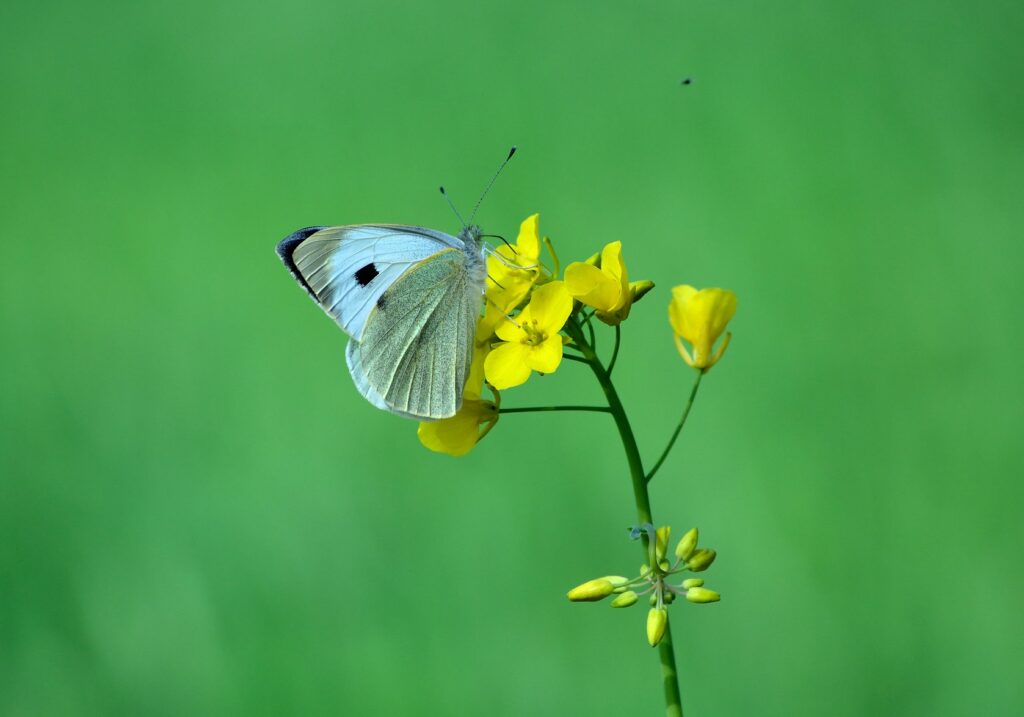
To see how some of these ideas turn out in real photos, flip through the gallery, or look at species pages like Cabbage White and Clouded Yellow. Those were not shot on a phone, but the compositions are things you can try with one.
Editing your phone photos
You don’t need to spend an hour in a desktop editor. Your phone’s built-in editor, or a free app like Snapseed, covers the basics.
- Crop to tighten the framing. Straighten the horizon if you can see one.
- Lower highlights, lift shadows a bit to recover wing detail.
- Add a touch of contrast and clarity, and sharpen gently. Heavy sharpening on a phone image creates ugly halos fast.
- Be careful with saturation. Butterflies are already colourful. A little goes a long way.
Keep your originals. You might want to re-edit in a few months, once your eye gets better.
A few quick rules I stick to
Go early. Move slowly. Tap to focus, and slide the exposure down a touch. Shoot bursts. Check the background. Leave the butterfly where it is. That’s about 90 percent of it.
If you want to keep learning and one day add a camera to the mix, start with my complete guide for butterfly photography. Newer to photography in general? A complete guide with 6 key points for newbie photographers covers the fundamentals. For a camera-side comparison of settings, Nikon has some tips for photographing butterflies that apply to any gear.
FAQ
Can you really get good butterfly photos with a phone?
Yes, especially of resting or feeding butterflies in good light. You’ll struggle with fast, erratic flyers, but patience and burst mode help a lot.
Do I need a clip-on macro lens?
No. Many phones focus close enough on their own. A clip-on lens adds magnification but also makes focusing harder, so try your built-in camera first.
What’s the best time of day to shoot?
Early morning, when butterflies are still cool and slow, and the light is soft. Late afternoon works too.
Should I use flash?
I’d avoid it. Phone flashes are harsh, they flatten the colours and they can startle the butterfly. Use natural light.
How close do I need to get?
Often 10 to 30 cm for a macro-style picture. If the butterfly flinches, step back and crop afterwards.
Is it safe to photograph butterflies this close?
Yes, as long as you don’t touch them, trample plants or force them to move. Respect their space, and they’ll often let you stay.
For more, browse the butterfly photography category or all my tutorials.